
If you want to sell or regift your Kindle Fire HD, you’ll definitely want to reset it to factory defaults first. Not only does it erase any sensitive data and accounts, but your credit card is tied to your tablet, and need to make sure you’re not handing it over to a stranger. As a last resort, a reset might be necessary if something goes wrong or the performance is painfully slow.
A Factory Reset will erase all of the data you have stored on the tablet. Make sure to back up anything you need that’s stored on it locally. Anything you’ve purchased like books, TV shows, movies, and Music is stored on the company servers. You’ll be able to access that data from any device that runs Amazon Kindle apps or the web.
Reset Kindle Fire HD
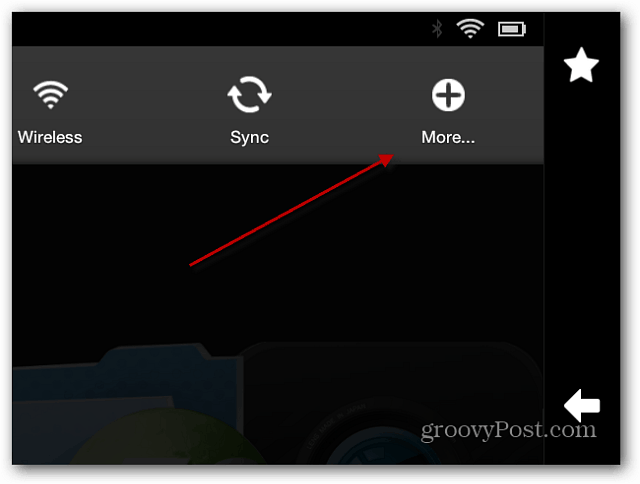
The reset process is basically the same as resetting a first gen Kindle Fire, but with a different interface. Swipe from the top of the screen down to display the notifications and tap More.
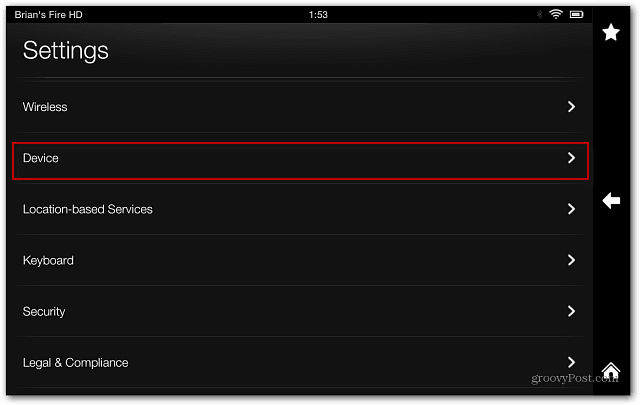
On the next screen tap Device.
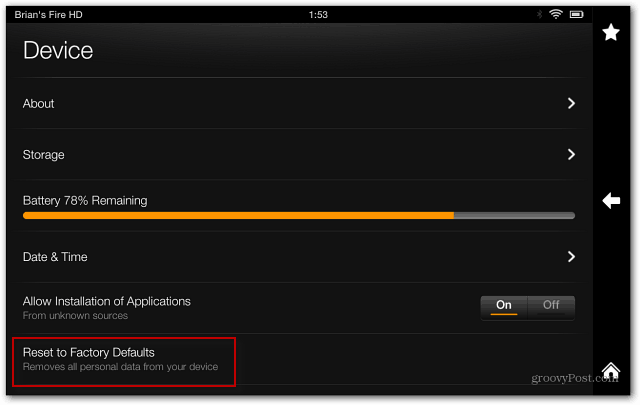
Scroll down to the end of the Device list and tap Reset to Factory Defaults.
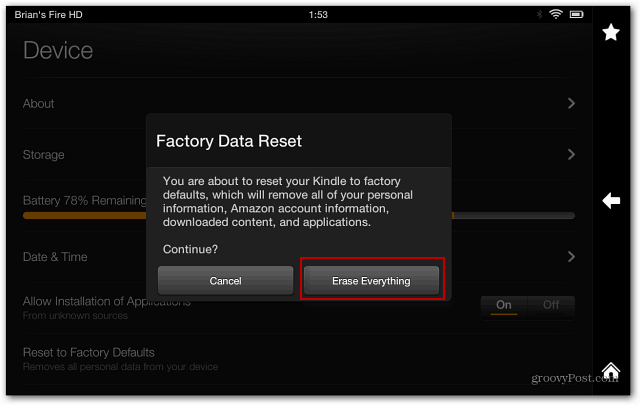
Finally, tap Erase Everything and wait for the process to complete. All of your data will be erased, it will reboot, and the Kindle Fire HD is set to how it was when it arrived — sans being connected to your Amazon account.
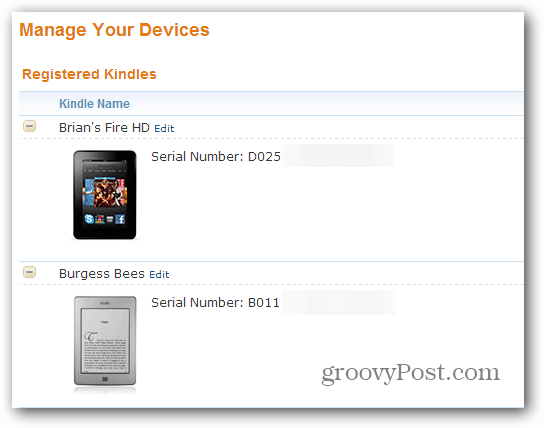
After it’s reset, you should also check your Amazon account and make sure it’s not listed. If you’re resetting it because a root or hack when bad, you just need to to go through the initial set up process and register it again.
1 Comment
Leave a Reply
Leave a Reply







John DeVaughn
December 16, 2013 at 12:47 pm
Thank you so much for the simple but needful tech help I need to get a factory reset for my Kindle fire 8.9HD. I wanted to send it back to QVC as I have decided I need a laptop. Now I may proceed. Thanks again and I will be using you again. You have a fine service and user friendly so as to build loyalty.