
You can upload music to the Amazon Cloud Player and stream songs your Kindle Fire over WiFi. But what if you’re not near a wireless hotspot? Here’s how to add your iTunes and other music directly to the Fire.
First, connect your Kindle Fire to your computer via a Micro USB cable.

Swipe the Lock Screen and type in the Kindle Fire Lock Screen Password if you have one.

When AutoPlay comes up in Windows, click Open Folder to View Files under General Options.

If the Kindle Fire doesn’t show up automatically, go into My Computer and you’ll see it listed as a removable drive.
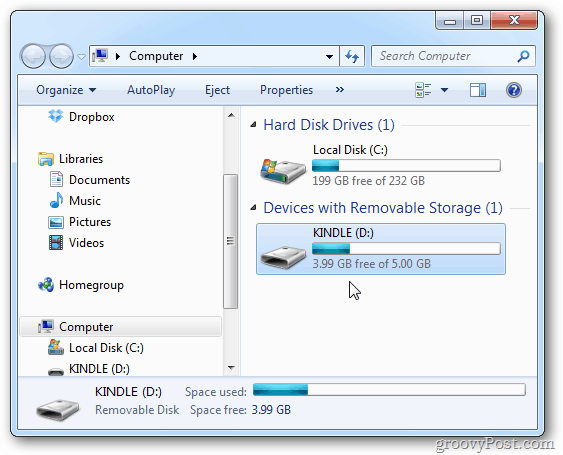
Open the Kindle Fire drive and open the Music folder.
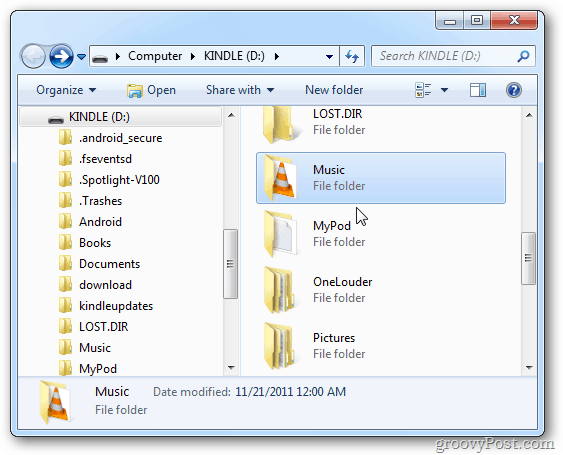
Drag the songs you want to the Kindle Fire Music folder. Kindle fire supports AAC, MP3, AMR, MIDI, OGG, WAV and MP4 music file formats.

If you’re using iTunes, drag music directly from iTunes to the Kindle Fire Music folder. This is nice as it lets you copy full albums or individual songs over. Keep in mind it will only play songs not protected by DRM.

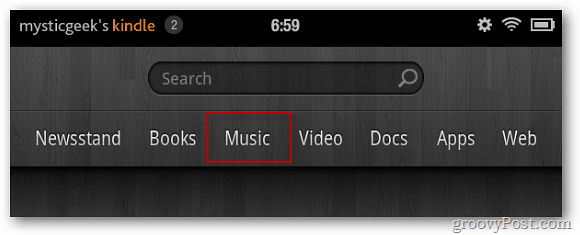
After your songs copy over, unplug your Kindle Fire from the computer and power it on. Tap Music from the home screen.
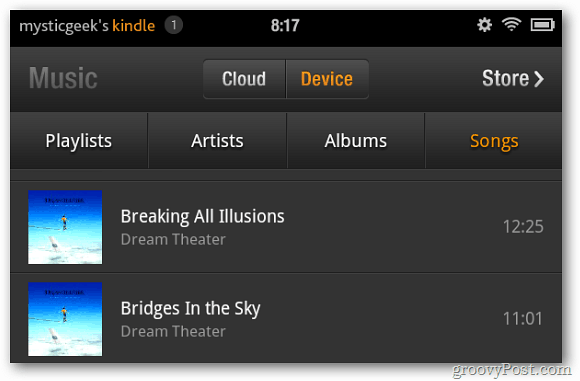
Then tap Device. Then sort through the music you added by Artist, Albums or Songs.
Now you can enjoy your favorite music on the go, without having to worry about being connected to WiFi.

14 Comments
Leave a Reply
Leave a Reply






Taos
December 29, 2011 at 7:51 am
How much drive space does the kindle fire have? Wondering how many tunes I can get on it.
Jessica
December 30, 2011 at 4:16 pm
THANK YOU. You are the only person to actually put this online. Everyone else is like “oooh the Cloud Device this” “oooooh that” and did not at all explain how to do this. Thank you kind human!! :D
Jasmine
January 11, 2012 at 10:28 pm
Hey, if you live outside of the us cloud dosent work. is there another program i can use that works with a mac?
theresa
February 26, 2012 at 7:47 am
transfer mp3 format music from windows media library from pc transfer say successful but when I go on my Kindle Fire the “amount” of transfer is zero. When I try to play song I get a playback error msg. ??????????
Brian Burgess
February 27, 2012 at 9:55 pm
You have 5GB of local storage.If you’re not seeing your music, try adding them to the Download folder instead. That is how to get pictures to show up.
Kathy Rhinehart
June 8, 2012 at 11:45 am
You told how to get the music from your computer to your Kindle Fire, but I downloaded music to my iCloud – – – I want to download it directly to my Fire for when I am not near WiFi – how do I do that?
Brian Burgess
June 8, 2012 at 8:08 pm
@Kathy Rhinehart: Open your music app. Long press on an individual song and tap Download Song from the menu that comes up.
If you want the entrie album, there’s a small orage down arrow icon that you can tap to get the whole album.
Bill Monfette
January 11, 2016 at 7:18 am
I got all my songs to get to my kindle, but the album art, etc did not carry over, so there are just a bunch of songs with no organization. Is there a way for it to carry all the info with the songs?
Dana
July 30, 2012 at 4:25 am
thank you very much!!!!!
Steve Krause
July 30, 2012 at 9:43 am
You are very welcome! ;)
Anita
June 7, 2015 at 10:37 am
How do I move music from my device to the cloud
Brax
November 10, 2015 at 5:26 pm
Only 23 out of 88 of my songs came up. How do I get all of them?
Belinda
June 22, 2016 at 3:35 pm
see my comment below as I bet you have a newer kindle
Belinda
June 22, 2016 at 3:34 pm
just to let everyone know if you hava a kindle fire 5th generation you must enable offline music to find ur music. Do this by clicking on music then on library then on downloaded… at the top left of the screen you will see 3 little lines click that then enable offline music.