3 Ways to Keep a Window Always on Top on Windows 10


When working with multiple windows in Windows 10, you might want to keep a window always on top for easy reference. Here’s how.
When you are working in Windows with limited screen space, it’s useful to have certain windows stay on top of others. Some programs in Windows automatically incorporate this “always on top” feature, but most programs don’t, and Windows doesn’t include this feature either.
Today, we’ll cover three ways to easily add the “always on top” feature to every Windows app.
1. Use a Keyboard Shortcut with an Always on Top AutoHotkey Script
AutoHotkey is a free program that allows you to create scripts to perform multiple actions with a single keyboard shortcut. It runs in the background and sits in the system tray.
We’re going to use AutoHotkey to create a script that will keep a selected window on top of all others when you press Ctrl + Spacebar when that window is active. We’ll show you the script and explain how it works. But we’ll also provide a downloadable AutoHotkey script file you can use.
Download and install AutoHotkey and then run it.
Download the AlwaysOnTop.ahk script file, extract the .zip file, and put the script in a folder on your hard drive that won’t be moved or deleted.
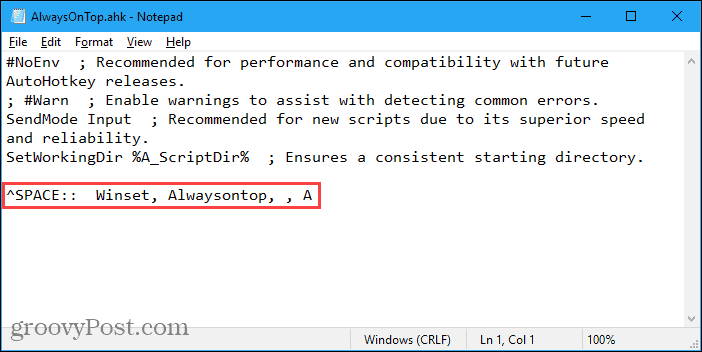
The script contains some comments and then the following command:
^SPACE:: Winset, Alwaysontop, , A
This command sets the currently active window to always be on top when you press Ctrl + Spacebar. If you’d rather use a different key combination, you can change the first part of the command, “^SPACE“. The “^” character represents the Ctrl key. You’ll find the symbols to use for other hotkeys in the Hotkey Modifier Symbols section on this AutoHotkey help page.
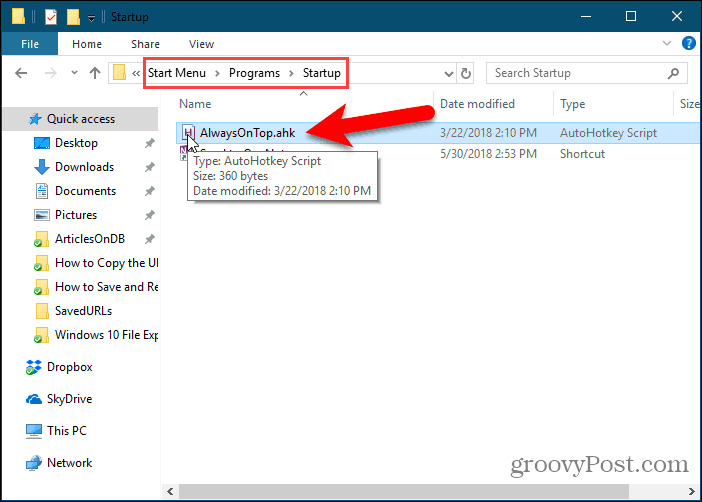
You can put the script in the Windows startup folder (%AppData%\Microsoft\Windows\Start Menu\Programs\Startup), so it starts automatically when Windows starts.
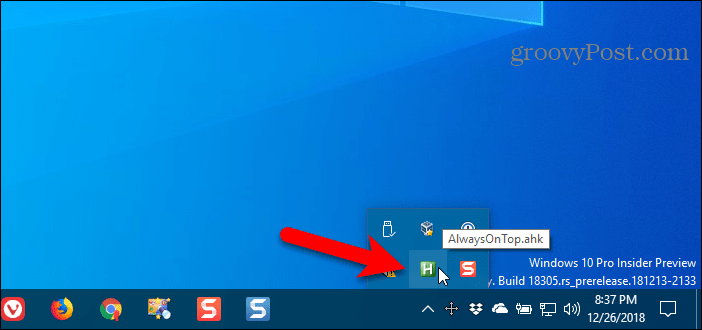
The AutoHotkey script stays in the system tray.
To make the active window always on top, press Ctrl + Spacebar (or the keyboard shortcut you assigned). Press the keyboard shortcut again to disable “always on top” for the active window.
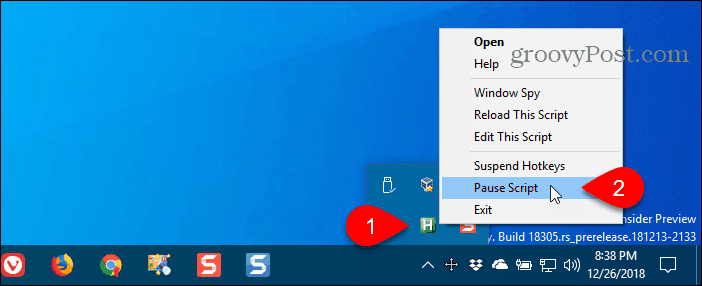
For script options, right-click on the AutoHotkey icon in the system tray.
2. Use Your Mouse with DeskPins
DeskPins provides pins you can grab and use to keep any window on top of all other windows. The program sits in the system tray and uses minimal resources.
Download and install DeskPins. Run the program, right-click the icon in the system tray, and select Options to change the Pins, Autopin, and Hotkeys settings.
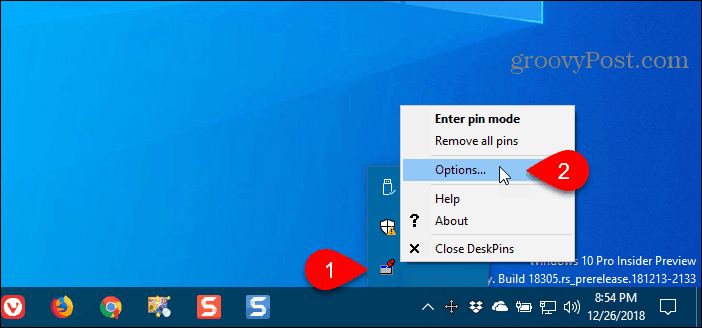
On the Pins tab, you can change the color of the pins. The Tracking rate controls how often each pin checks the pinned window’s position and state. Lower values make the pins more responsive. You can enter any number from 10 to 1000 msec (milliseconds).
If you have an older computer, you may want to increase the Tracking rate number to avoid slowing down your computer.
You can also choose Single click or Double click under Tray Icon Activation to indicate how you get pins from the DeskPins system tray icon. The default is Single click.
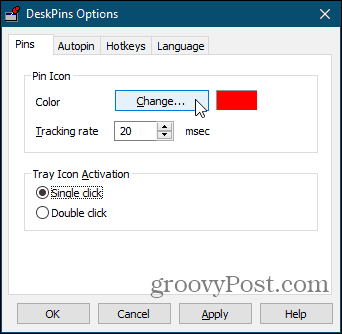
You can have DeskPins automatically pin certain types of windows using rules on the Autopin tab.
Check the Enable box and then click Add to add a new rule. The checkboxes next to the rules enable and disable individual rules.
Click Help to access the DeskPins help file for more information about automatically pinning windows.

DeskPins provides default shortcuts for entering pin mode and toggling the active window pin. You can change these shortcuts on the Hotkeys tab.

To pin a window on top, click (or double-click, depending on the setting) the DeskPins icon in the system tray.
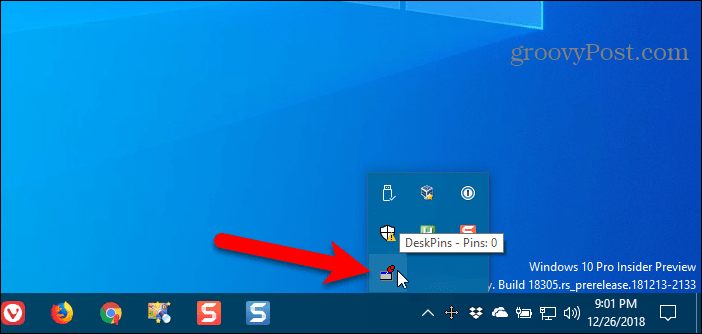
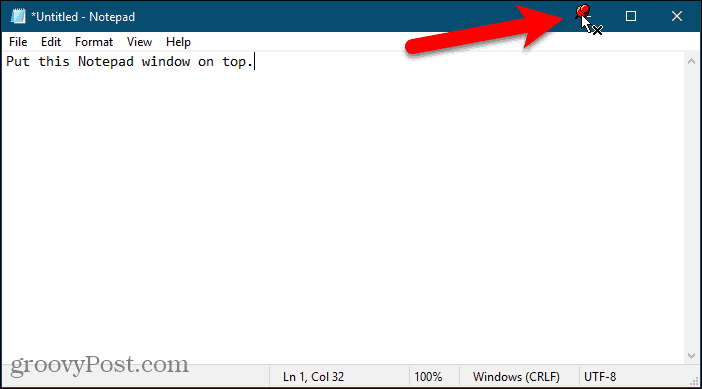
Then, click the title bar on the window you want to keep always on top.
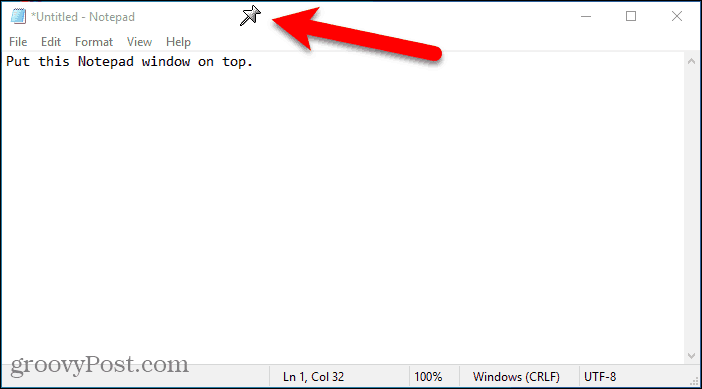
A pin in the color you specified or the default color, red, will appear on the title bar of the chosen window.
Click the pin again to disable always on top for the window.
3. Use a System Tray Menu with TurboTop
TurboTop also sits in your system tray like DeskPins. But it operates differently.
Download and install TurboTop. Then, run the program.
To keep a window always on top, click the TurboTop icon in the system tray. A list of all open windows displays. Select the title of the window you want.
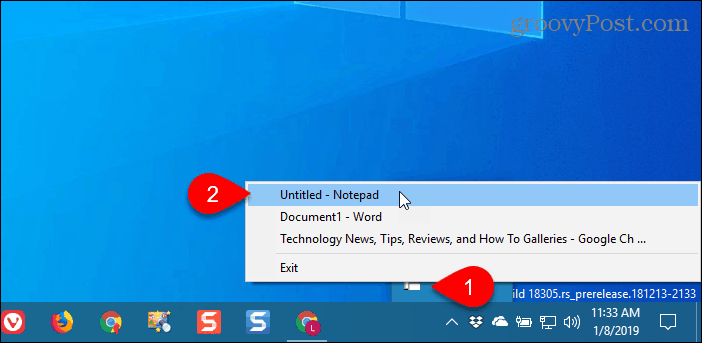
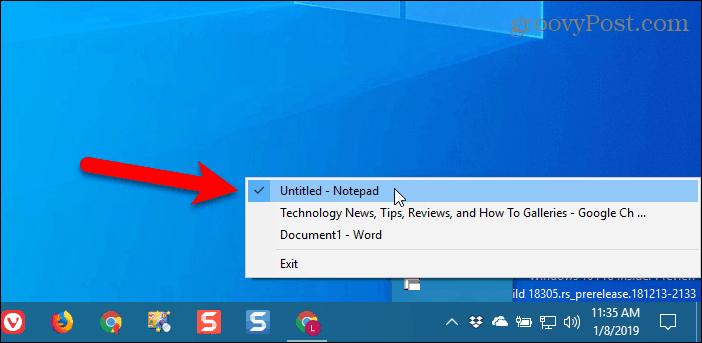
Any windows you choose to be always on top are indicated with a checkmark on the TurboTop menu.
To stop keeping a window always on top, click the TurboTop icon in the system tray and select that window again so there’s no checkmark next to the window name on the menu.
Bring the Always-on-Top Feature to All Windows
Whether you like using keyboard shortcuts or prefer using the mouse, there’s an easy solution for keeping Windows always on top. If you’ve found other options, let us know in the comments.
29 Comments
Leave a Reply
Leave a Reply







Brett
January 9, 2013 at 5:45 pm
Thanks for this. I use 3 monitors, and they are great. I also use Dexpot and UltraMon. I still have the problem of “out of site, out of mind.” Thus my need for a way to keep a program on top. As I already use AutoHotKey, I opted for that. Working great. Thanks for tips!
Austin Krause
January 9, 2013 at 7:59 pm
You bett Brett, I’m glad we could be of assistance!
Jennifer
July 9, 2022 at 5:43 am
This is wonderful! I’m going to find other scripts that will save me time!
Sergio
April 20, 2021 at 1:44 pm
It continues working. I loved this workaround.
Vytas
March 27, 2013 at 12:32 pm
thank you!
Teddy
April 19, 2013 at 9:19 am
Very handy little app! Thanks!
Hans43
May 8, 2013 at 9:41 am
Wow, So simple, so cool. Working excellent… Big thx
Glenn
April 29, 2014 at 4:22 pm
Hi
Just installed FileBox Extender primarily to force Outlook reminders to popup onto the screen on top so they successfully remind me that I have a meeting. This works well on a given day. Unfortunately, it seems that Filebox Extender forgets the settings you made after restart and therefore I need to pin the Outlook reminder window manually once every day! I might need a reminder to do that :-). Am I missing something? I would have thought I could set it once and it would be set forever?
Glenn
irshad
June 16, 2014 at 9:18 am
thanks man.
James
December 20, 2014 at 6:51 am
Great info! Timely and perfect. Thanks for saving me a great deal of time, now i can turtle up my designs. Once again thanks. Gotta share this right away!
Prasanta Mazumder
May 27, 2019 at 10:23 pm
Hi,
I use ‘always-on-top’ of DI. That works great with fullscreen VNC and any other window e.g. MS word or pdf document. However, none of these options suggested works with Citrix. When I open Linux Desktop from Citrix and make fullscreen, I can’t make any window to stay on top of that Citrix full screen window. If anyone knows solution to the problem that will be very helpful.
Thanks,
Prasanta
Satriyo
February 12, 2020 at 3:23 pm
Thanks for the tutorial,
I decide to use AutoHotKey that seems simple.
but I found your code isn’t finish yet.
instead of only write
^SPACE:: Winset, Alwaysontop, , A
I need to write
^SPACE:: Winset, Alwaysontop, , A
return
to make it works
great job making the tutorial though!
MARC GRAFT
June 20, 2020 at 3:45 pm
don’t work with system windows or setting grrrrrr
Scott Anderson
March 13, 2021 at 8:51 pm
I went with TurboTop. I’m on Win 10 on an Lenovo TS140 i3 and I’m installed and working doing exactly what I wanted and needed in about, what was that 2 minutes or 2 so? Thanks much. For anyone curious, I’m using Popout for YouTube to pop out videos on YouTube and shrink the window in the corner of the screen; this computer’s hooked up to a TV and I wanted to be able to watch and browse easily.
It’s interesting that Windows 10 doesn’t have this option. I know I used to do this on Linux, but Windows is more than capable of doing this as a built-in feature of the OS. Microsoft and other major software companies stopped adding innovative features years ago. It’s all about marketing and gimmicks now. Oh well.
Thanks for the article!
SGP
October 4, 2021 at 8:05 am
I discovered the “Always on Top” Windows utility shortly before a colleague sent me your article. I only started using it, but it seems good. You run the utility and when you want a window to stay always on top of other windows you just click on the window to select it and press CTRL+space. Do the same to unpin from always on top. I like it so far; I plan to mostly use it for MS Teams and phone calls through MS Teams. I wish there was a visual showing it successfully pinned, though. I may try one of the options mentioned above. Thanks!
owen innit
January 2, 2022 at 4:54 am
they need to just make this a standard feature.
Liz
January 3, 2022 at 4:35 pm
THANK YOU! Omg I tried downloading several ‘sticky notes’ etc, nothing did this simple task. AutoHotkey for the win. Now to investigate what other cool stuff I could be doing ;)
Treena
February 14, 2022 at 10:03 pm
I’ve tried for ages to get something like this working. Thanks heaps for making info available – it’s so useful.
Dean
April 21, 2022 at 10:19 am
Just downloaded TurboTop. Fantastic! Using dual monitors, it’s convenient to hasve some windows always on top. Now I can. Thanks for the tips!
Bozhidar
June 9, 2022 at 4:49 am
It really worked! Although it may not be a perfect solution, it’s great. Thank you!
Louis
June 10, 2022 at 1:31 am
Turbo top is very lightweight and easy to use. Thanks
Thierry
July 19, 2022 at 8:52 am
Great you mention autohotkey here. I am surprised you don’t mention the PowerToys https://docs.microsoft.com/en-us/windows/powertoys/
John Munday
August 3, 2022 at 1:21 am
I use 4t Tray Minimizer. It is versatile and uses a pin in the window toolbar that when activated by a mouse click changes from horizontal to vertical.
Bruce Costa
August 10, 2022 at 9:29 am
I already use autohotkey for many other quality of life improvements on my work and that is why i went with it and i have got to say that it’s so simple and it just works as intended. Thanks for this.
John Munday
August 12, 2022 at 3:37 pm
Update: I have switched to the latest Microsoft Powertoys V61.1 that includes a “windows on top” facility. You can change the keyboard keys to activate/deactivate the window and the menu also includes colour and thickness of border for the pinned window to identify it. A sound can be added on activation and you can exclude apps.
alireza zamani
February 2, 2023 at 10:02 pm
“AlwaysOnTop” Doesn’t work with autohotkey v2.0, please help!
Lesoudeur
February 5, 2023 at 10:45 am
Switch to “Windows on top” that is included with Microsoft Powertoys…now at version V0.66.0
honeypool
March 3, 2023 at 8:27 am
Updated for v2 here:
https://github.com/honeypool/ahk-v2-alwaysOnTop
Peter
July 30, 2023 at 2:52 pm
Autohotkey script and Turbo Top not working with some programs like Total Commander or Microsoft Word 2019 for example.. others like Premiere Pro works fine.