How to Monitor Your Gmail Account Login Activity


Did you know Google keeps a log of every Gmail session? If you suspect any suspicious activity, you can check IPs, browsers, dates and times of each session.
Do you think somebody is accessing your Gmail account without your permission? Whether you suspect someone is reading your mail or want to double-check to make sure there is no suspicious activity, there is an easy way to check. Gmail keeps a log of when and where you are logging in from. Here is how to check the recent activity of your Gmail account will help keep your account safe.
Monitor Gmail Logins
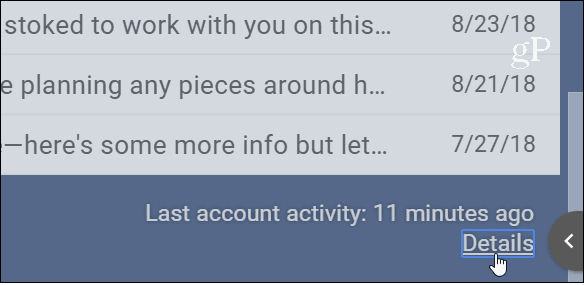
You can monitor recent activity on your account. Log into your Gmail account and scroll down to the bottom of your inbox. Then click the Details link at the bottom of the page.
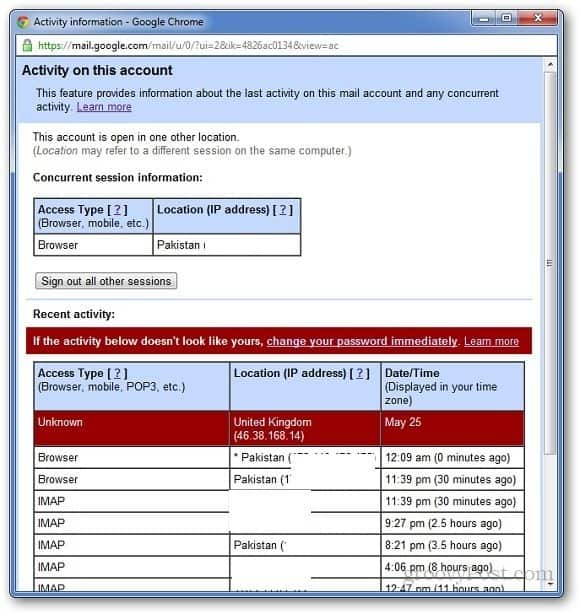
That will bring up a log that displays the number of places you have logged in from — including your current session. The information includes the browser type, Location/Country, IP address, and date and time. If something looks off, it will be flagged like in the example below.
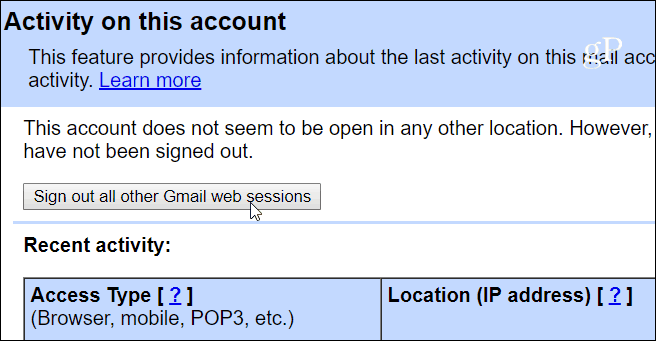
In addition to showing all the login sessions, it also allows you to sign out of all other sessions across devices. Just click the Sign out all other sessions button.
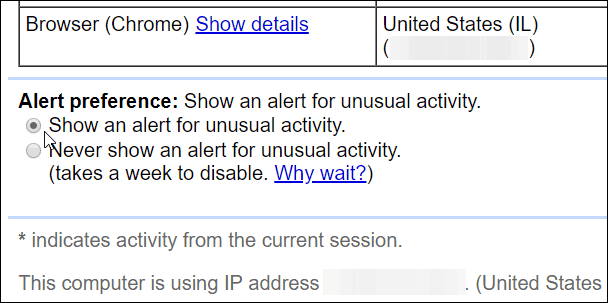
If you want to change the Alert Preferences, scroll down and click on the Change link under Alert preferences. By default, it is set to “Show An Alert On Unusual Activity,” and that’s how you should keep it set.
This is a beneficial part of Gmail that most people forget or aren’t aware of. It is a good way to make sure your account is safe. Of course, to further improve the security of your Gmail account, you definitely need to enable Two Factor Authentication (2FA) for your Google account. In fact, we can’t stress 2FA enough, and you should enable it everywhere it’s offered. For more, read out the Two Factor Authentication Guide to help keep your online life secure!
9 Comments
Leave a Reply
Leave a Reply







Chaitanya
June 12, 2012 at 10:39 pm
Nice one… helpful
jobsyear.com
August 21, 2012 at 1:39 pm
thank you for the information
thasneed
January 19, 2015 at 12:21 am
Thala fans association
Prasenjit Dey
December 8, 2015 at 4:08 am
Hii!! i’m Prasenjit Dey. i need yours help, i forget my password but now i c’nt change my password. when i want to changed my password then i clickd my number for sending recovery password, but, i d’nt know why i didn’t receive recovery password, plz help mee
Sambhaji
August 12, 2016 at 11:31 pm
Thanks for the article but can you tell me how to check last one month details is there any option in gmail or google provide , if u have any idea so please my humble request to you please provide us
Rk
May 9, 2017 at 8:17 am
I want to see ip address of who try to access google acount:
recently some one try to access
see message bellow
Google just blocked someone from signing into your Google Account xxxx@gmail.com from an app that may put your account at risk.
Less secure app
Monday, May 8, 2017 11:42 PM (ET)
xxxxx, xxx, USA*
Don’t recognize this activity?
If you didn’t recently receive an error while trying to access a Google service, like Gmail, from a non-Google application, someone may have your password.
Jagadeeshan D
September 6, 2017 at 5:59 am
Hi,
someone is using my gmall account. below are the details. how do i disable that?
Authorized Application (782568534693-bsbo0kgfm0jgc2ign5l57m3utju5iuiq.apps.googleusercontent.com) Hide details
OAuth Domain Name:
782568534693-bsbo0kgfm0jgc2ign5l57m3utju5iuiq.apps.googleusercontent.com
Manage Account Access
Steve Krause
September 6, 2017 at 8:00 am
Hi Jagadeeshan – First step, change your password. The second step, turn on two-factor auth for Gmail – https://www.groovypost.com/unplugged/two-factor-authentication-guide-secure-online-accounts/.
That should lock out whoever is logging in.
Anne Noel
October 24, 2017 at 5:54 am
Thanks for the article but can you tell me how to check last one month details is there any option in gmail?
Fiona
March 8, 2024 at 8:59 am
Is there a way to check the activity details prior to the most recent 10 entries?