How To Clear Browsing History and Cache on Android Phones


Even if you’re surfing the Internet on your new Android phone, from time to time, it’s a good idea to clear out the history and cache. Clearing out the cache can improve performance, and clearing your history and auto-complete information can contribute to improving security.
Good news! The process is easy and quick, so let’s take a look at this quick tip.
Note: This article was written in 2010; however, we’ve updated the steps and screenshots as Android made changes to its OS and settings. Now, you can clear your browsing history and cache from Settings inside Chrome or whatever browser you’re using on your phone.
Step 1 – Open Settings on your Android device. 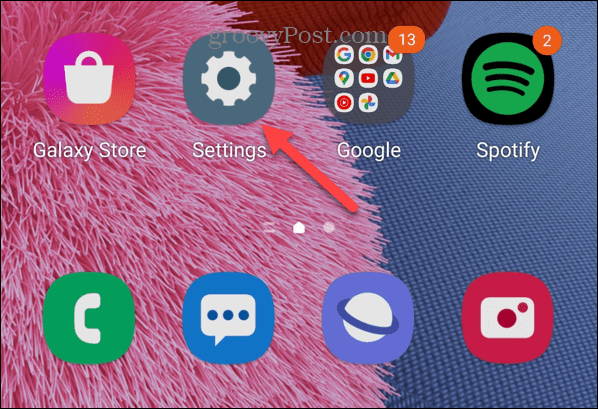
Step 2 – Scroll down the menu and tap Apps.
Step 3 – Tap the hamburger menu next to the Your apps section.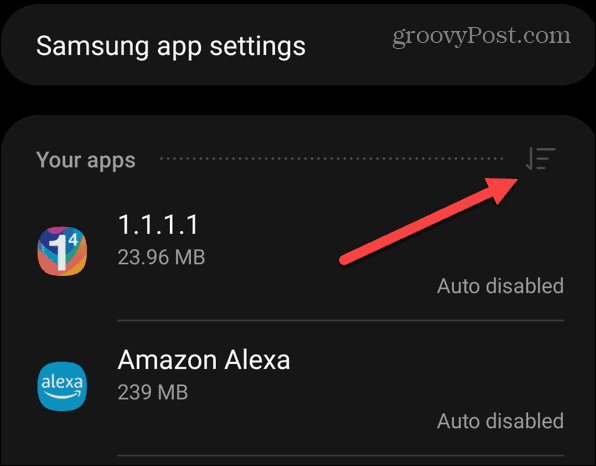
Step 4 – Select Size and click OK to sort your apps by their size.
Step 5 – Now you can start at the top and select the app you want to erase the history/cache on. For my example, I’ll be demonstrating it on Chrome. 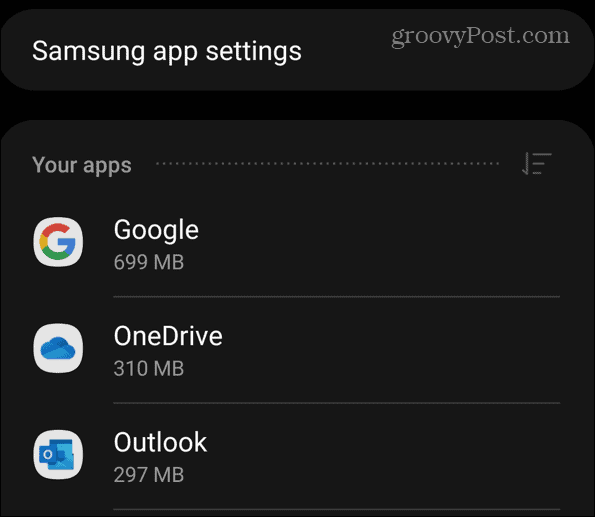
Step 6 – Swipe down and tap Storage.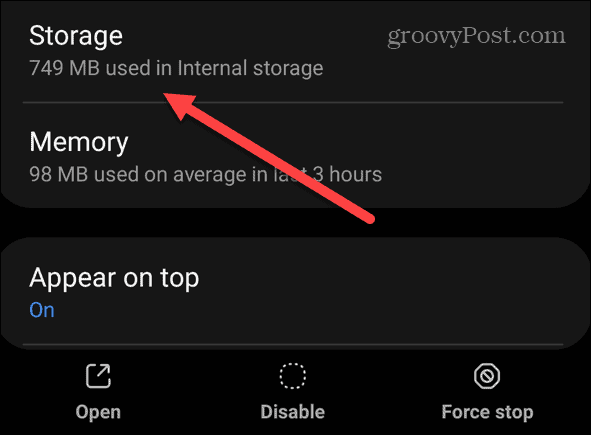
Step 7 – On the Storage screen, you’ll see space used by the cache.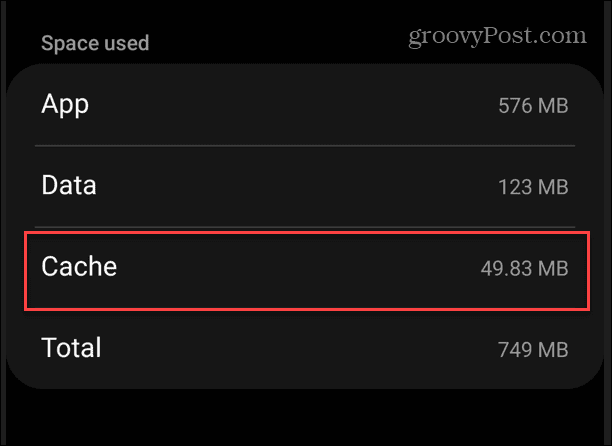
Step 8 – To remove the cache, tap the Clear cache button in the lower-right corner of the screen.
Step 9 – The cache for the app will be cleared, and you won’t see any prompts. You’ll know it worked when you see the Cache column is zero.
How to Clear Web Browser Cache on Android
In addition to clearing the app cache, you’ll want to erase your web browser cache. Cookies, history, cached images, and other files are left over.
Note: Clearing the cache of each browser varies slightly. We’ll show you how to erase the cache and browsing history for Google Chrome on your phone but the process is very similar on other browsers including the desktop versions.
Step 1 – Launch Google Chrome on your Android phone or tablet.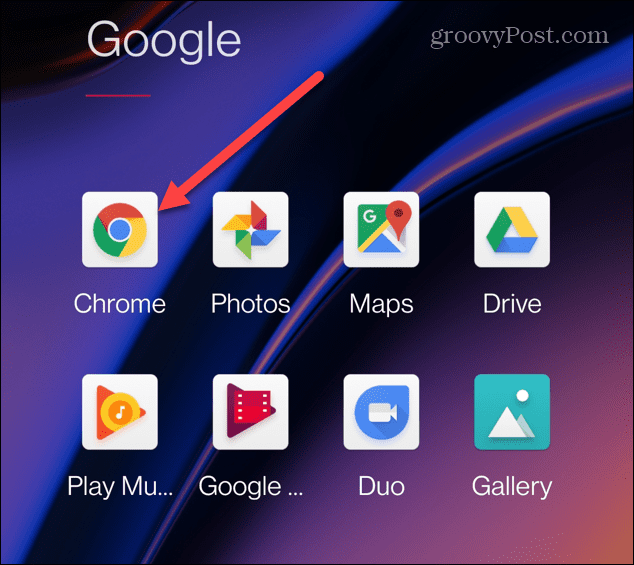
Step 2 – Tap the three-dot button in the upper-right corner and tap Settings from the menu.
Step 3 – In the Settings section, tap Privacy and Security from the list.
Step 4 – Now, on the Privacy and Security screen, tap Clear browsing data.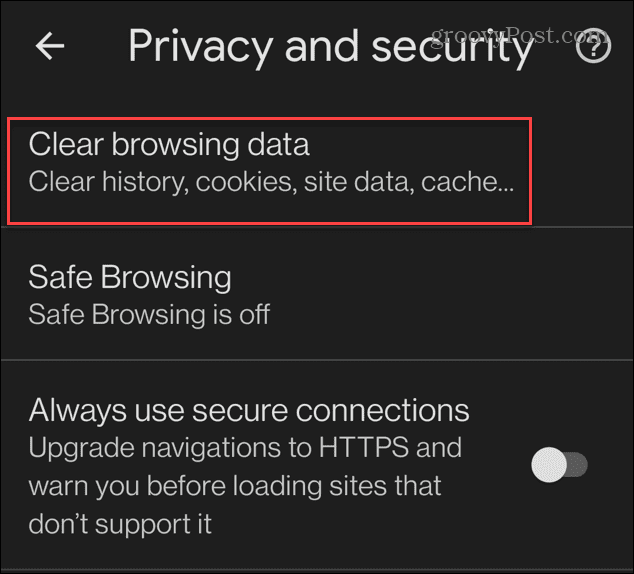
Step 5 – Set the Time Rage dropdown to All Time. Check Cached images and files and tap the Clear data button.
Note: You can choose other items to delete, like cookies, saved passwords, and browsing history.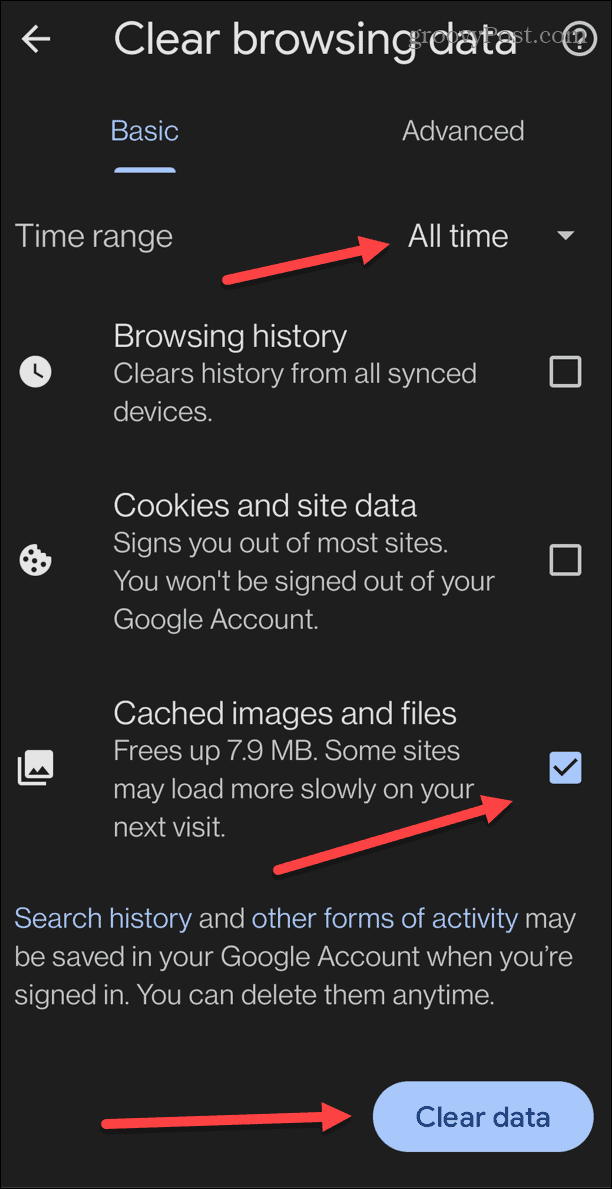
Step 6 – While the cache is cleared, you’ll see a notification letting you know is being cleared. The amount of time it takes will vary based on the quantity of cache to be removed.
Done!
After following the above steps, your Android phone and Chrome browser are clean from all history and cache files. You can rest at ease while letting other people use the browser app on your device! They won’t be able to hijack your Facebook account or run into an embarrassing suggested Google search.
24 Comments
Leave a Reply
Leave a Reply







Robert
September 14, 2010 at 3:59 pm
You could do it even faster using something like Quick App Clean Cache. Its worth the payment.
shockersh
September 14, 2010 at 5:07 pm
Love the laser beam icons lol
Mark
October 4, 2010 at 3:53 pm
6 steps to clear browser history/cache :))))
Refine Efficiency does it in 1 – http://refineandroid.doodlekit.com/
Lim
December 28, 2010 at 4:12 pm
Sorry…there is major security bug in android browser. “clearing” the history does not stop someone using the BACK button. Your previously visited page will be loaded again.
Cal
January 21, 2011 at 7:52 am
Lim is right – between this and the google talk app retaining ‘off the record’ chats after ending the chat, It’s a privacy nightmare. I couldn’t, in good conscience, recommend this platform to a business client – it’s too full of holes.
peter tetteroo
February 27, 2011 at 9:08 pm
This does not work. Nothing clears from my browser memory.
erika
March 23, 2011 at 3:05 pm
Am trying to clear my search history on google for on my andriod tablet , the information you have given seem not to work on it as it only cleared the browsing history but not the search history . please help me out thanks
gary47
May 30, 2011 at 8:58 am
What version of Android and FireFox is this written for? Your screen shots do not match my Droid incredible
Beyond_Life
May 31, 2011 at 12:38 am
2.2 if Im correct.
limo0osh
August 11, 2011 at 1:49 am
of course the screenshots wont match your droind incredible!!! cant you read?? he says he is using samsung galaxy S..
and these steps works perfectly to delete browsing history!! he didnt say its to delete search history..
George
December 4, 2011 at 8:57 am
It was great advice to clear my browser history thanks alot
BrianC
December 9, 2011 at 8:34 am
This works beautifully. Thank you!
Russell Cox
April 3, 2012 at 1:33 pm
My motorola atrix only displays a portion of the full web site http://www.personalsecuritytechnology.com
I’ve cleared everything… even used the “nuke” option.
At one time this worked fine.
I then made some template changes to my hosted web site and now can only see a portion of the site. Anyone who cares to take a look will see the entire web site on their PC.
I’d be very curious if you see the entire site on your cell phone or only a portion of it as on my cell phone.
Rose
April 12, 2012 at 2:15 pm
I have been looking EVERYWHERE for how to do this. Thank you! Thank you! Thank you!
Jonatthan
May 14, 2012 at 4:57 am
Hi Austin,
this didn’t work on my HTC Evo, so I’ve installed Android Delete History PRO and now it’s working great ;)
Thank you
Nhick
February 24, 2013 at 6:00 am
Can’t find the menu pointing to settings but after reading this tips, now I can clear browsing history on my android phone.. Thanks
Anon
March 11, 2013 at 5:32 pm
Thank you so much!!! Worked like a charm ;)
Austin Krause
April 8, 2013 at 7:07 am
Hi Amber,
If you’ve been deleting the history from your device, then you should be okay. What this person likely meant was that your connection can be monitored. For example. if you were viewing it over 3G your cellular carrier can access a log of every site ever visited.
In the case of WiFi, the router (wireless broadcast device) usually retains logs of all the sites accessed through it. Depending on where you are connecting from there could be additional switches in place between the router and the internet service provider. Any number of these could be tracking your history. The only way to find out what is tracking you is to know the hardware setup.
If you’re at home, its probably just your router broadcasting and then the connection goes directly to the internet service provider (comcast, verizon, timewarner, etc). Just login to the router and clear out the history and you’re set. But if you’re at work then it’s a whole other ballgame. At work it would depend on what type of job you have. Most companies monitor all network traffic going through their systems. If you work in any type of medium-large office this is the case. If you work in a smaller office it might not have the resources to set this up. An office that isn’t IT oriented probably doesn’t care about browser history that much, for example a doctors or dentist’s office might not track usage.
There’s also an interesting factor to consider. Because you were browsing the internet on your phone, the company might not know who you are, especially if you work in a large office. The exception of course would be if the office provided the phone. But if its your personal phone that you brought from home and used to connect to company wifi, the company would probably have a hard time tracking you down, but it isn’t impossible.
The internet service provider can also track your history, but usually won’t keep logs longer than a couple days.
Conclusion:
————
Lots of things can track you over WiFi. If you’re at home you can clear the history on your router. But you can’t clear the history from your Internet Service Provider. At work there isn’t much you can do other than perhaps bribing the network admin to clear your history, but if you connected using your personal phone you probably don’t have much to worry about as long aren’t continually looking at sites that aren’t safe for work. If you want to truly avoid being tracked, you’d have to purchase an anonymous VPN connection and use that.
Amber
April 8, 2013 at 1:01 pm
I found that my android (it’s an HTC Wildfire S) has a proxy settings area and when I go inside, it says enable wifi proxy with a little box to tick. I found that the box was unticked the whole time which means it wasn’t enabled. Does this help?
I’ll explain my situation. I live in a place without wifi. But there is wifi at my parents house, so I sleep over sometimes just to download stuff onto my phone using wifi. And my brother told me once to be careful because things can be viewed through a proxy server. But I’m wondering.. if the box that I mentioned above was unticked… is it still possible?
Also… I ALWAYS use incognito mode in Google Chrome on their computers and any other computers. Does this track my history? Or will it just be blank on the proxy server?
Thanks for helping.
Tatyana
September 8, 2015 at 3:47 pm
I have forgotten to delete my browser history and just reset it and I wasn’t on my Google account and forgot it so I had to make a new one. Will the browser history still be with me even if I reseted my tablet? Just to make sure
Sunda eze
October 19, 2013 at 11:13 pm
My phone htc,its internet cant open, it alway show ´page can’t open’ check caches On google. What must i do for me to use internet in browsing, i ONLY uses opera mini, and that one alway open.
pooja
January 14, 2016 at 1:12 am
how to delete a call made on pocket surfer mobile phone?
qamar
January 19, 2016 at 7:27 pm
Thanks for sharing
Pedro
March 24, 2017 at 5:09 pm
I guess that most people refer to be able to delete quick search keywords that appear when on a mobile phone you enter Incognito mode and when you start to search on top of the onscreen keyboard a list of words facilitates a search.
Only that these words don’t go away when you do a history wipe. In fact to delete any of these you don’t need to mess with any privacy settings. Here’s how quick it’s done.
Enter Incognito Mode
Start to type a search on the top bar
When the quick search words appear
Select and hold down fpr a couple seconds the one you wish went away and the option to remove it willooks appear.
That simple.